
IT operations
Build a ticket intake record that survives review
A grounded IT support and MSP operations note for IT managers: ticket intake with explicit evidence, decision rights, and a verified close.
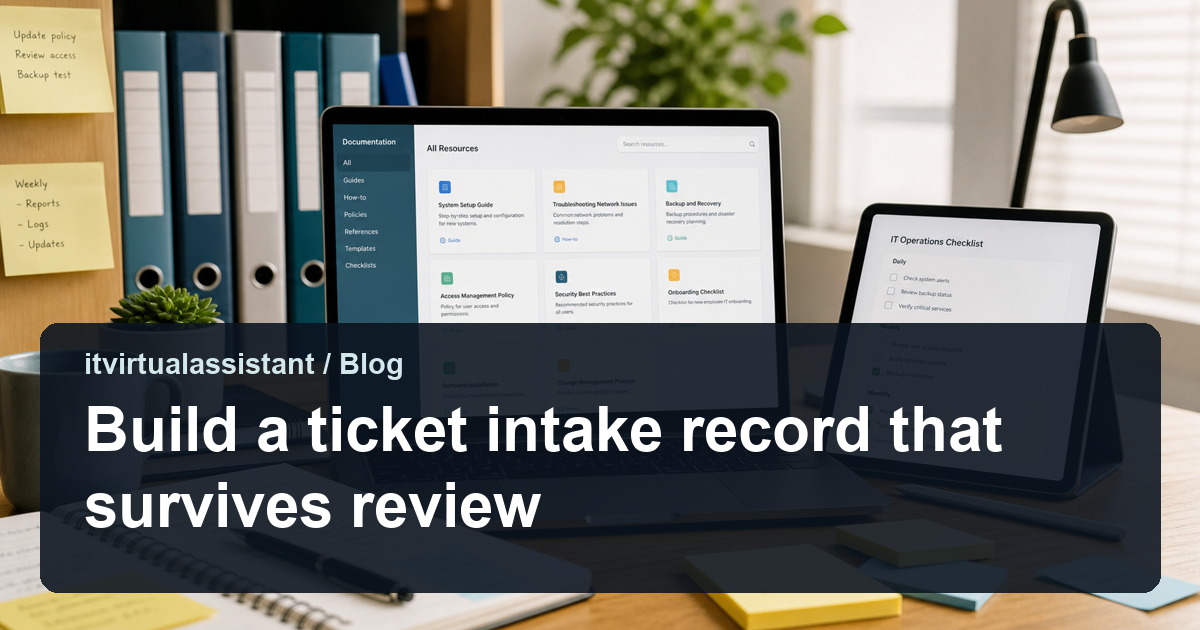
Start with repeatable IT work that has a clear owner, clear access limits, and a review cadence. Keep risky technical decisions with the manager or provider who owns the system.
Delegation playbook
On this pageJump to section
A grounded IT support and MSP operations note for IT managers: ticket intake with explicit evidence, decision rights, and a verified close.
Why ticket intake needs a written control
A ticket intake record is useful only when it shows the request, the source used, the owner of the next decision, and the evidence that closed the item. For IT Virtual Assistant, that means the ticketing platform, asset register, and patching console must agree on the same identifier and the same observation date before a case is treated as complete. Write the rule once, keep it next to the queue, and test it on a case that crosses a shift or a system boundary. At IT Virtual Assistant, the ticket intake check begins when the request reaches the approved queue and ends only when the ticketing platform, asset register, and patching console show the accepted result. The IT manager reviews the packet before the record advances, and the dated source stays linked to the case. The IT manager retains every access, security, and production decision; the specialist records the ticket evidence, checks the asset state, and routes the exception.
Teams often describe ticket intake as a task rather than a decision. The distinction matters because a task can be finished while the underlying question is still open. Record what the specialist prepared, what the IT manager approved, and what changed at the destination. A later reviewer should be able to reconstruct the sequence without asking the person who did the work. At IT Virtual Assistant, the ticket intake check begins when the request reaches the approved queue and ends only when the ticketing platform, asset register, and patching console show the accepted result. The IT manager reviews the packet before the record advances, and the dated source stays linked to the case. The IT manager retains every access, security, and production decision; the specialist records the ticket evidence, checks the asset state, and routes the exception.
The record to keep for ticket intake
Keep one record per ticket intake item with a stable key, the received time, the source system, and the field that was checked. Attach the version or observation date of the source, because a current screenshot cannot prove what the record said when the first action was taken. Mark missing, unavailable, and confirmed-negative evidence as separate states instead of leaving a blank field. At IT Virtual Assistant, the ticket intake check begins when the request reaches the approved queue and ends only when the ticketing platform, asset register, and patching console show the accepted result. The IT manager reviews the packet before the record advances, and the dated source stays linked to the case. The IT manager retains every access, security, and production decision; the specialist records the ticket evidence, checks the asset state, and routes the exception.
The ticket intake record should name the next action, the owner, and the time it is due. A case with no next action is an exception even when its status says in progress. Link the ticketing platform, asset register, and patching console entries rather than copying sensitive content into a coordination note. Keep the original wording of an instruction and append later changes instead of rewriting history. At IT Virtual Assistant, the ticket intake check begins when the request reaches the approved queue and ends only when the ticketing platform, asset register, and patching console show the accepted result. The IT manager reviews the packet before the record advances, and the dated source stays linked to the case. The IT manager retains every access, security, and production decision; the specialist records the ticket evidence, checks the asset state, and routes the exception.
Where the ticket intake handoff breaks
The common ticket intake failure is a handoff that looks complete because a message was sent. Name the receiving role, the acknowledgement, and the destination record that proves the item arrived. A read receipt or a status change is not acceptance unless the IT manager has defined it that way. At IT Virtual Assistant, the ticket intake check begins when the request reaches the approved queue and ends only when the ticketing platform, asset register, and patching console show the accepted result. The IT manager reviews the packet before the record advances, and the dated source stays linked to the case. The IT manager retains every access, security, and production decision; the specialist records the ticket evidence, checks the asset state, and routes the exception.
Conflicting sources are normal in ticket intake. Preserve both values, name the authoritative source for each field, and route the conflict to the IT manager. Do not average the values or choose the one that supports the faster close. The conflict itself is evidence that the process needs a decision. At IT Virtual Assistant, the ticket intake check begins when the request reaches the approved queue and ends only when the ticketing platform, asset register, and patching console show the accepted result. The IT manager reviews the packet before the record advances, and the dated source stays linked to the case. The IT manager retains every access, security, and production decision; the specialist records the ticket evidence, checks the asset state, and routes the exception.
A worked ticket intake case
Consider a ticket intake item that arrives with a partial identifier and a deadline. The specialist links the available source, marks the missing field, and holds the action until the IT manager confirms identity. The hold is recorded with a reason, an owner, and a safe interim state. Nothing is guessed to meet the deadline, and the case remains visible in the aging view. At IT Virtual Assistant, the ticket intake check begins when the request reaches the approved queue and ends only when the ticketing platform, asset register, and patching console show the accepted result. The IT manager reviews the packet before the record advances, and the dated source stays linked to the case. The IT manager retains every access, security, and production decision; the specialist records the ticket evidence, checks the asset state, and routes the exception.
Another ticket intake case has two records that disagree about the effective date. The specialist preserves both versions, notes the retrieval time, and sends a neutral summary to the IT manager. The IT manager chooses the controlling version and records the reason. The specialist then updates only the permitted field and verifies the destination. At IT Virtual Assistant, the ticket intake check begins when the request reaches the approved queue and ends only when the ticketing platform, asset register, and patching console show the accepted result. The IT manager reviews the packet before the record advances, and the dated source stays linked to the case. The IT manager retains every access, security, and production decision; the specialist records the ticket evidence, checks the asset state, and routes the exception.
What the IT manager decides
The IT manager decides whether an exception is acceptable, whether a promise can be made, and whether a case may close without the missing evidence. The specialist can prepare a recommendation only when the company has authorized one; otherwise the output is a neutral comparison. Record the decision, the scope, and the expiry of any temporary approval. At IT Virtual Assistant, the ticket intake check begins when the request reaches the approved queue and ends only when the ticketing platform, asset register, and patching console show the accepted result. The IT manager reviews the packet before the record advances, and the dated source stays linked to the case. The IT manager retains every access, security, and production decision; the specialist records the ticket evidence, checks the asset state, and routes the exception.
Price, policy, eligibility, employment, safety, and legal questions stay with the IT manager. For ticket intake, the specialist should route a question rather than answer it from a similar case. A correct route is a control success even when it takes longer than an improvised answer. At IT Virtual Assistant, the ticket intake check begins when the request reaches the approved queue and ends only when the ticketing platform, asset register, and patching console show the accepted result. The IT manager reviews the packet before the record advances, and the dated source stays linked to the case. The IT manager retains every access, security, and production decision; the specialist records the ticket evidence, checks the asset state, and routes the exception.
Operating brief
What this guide should help you decide
Routine intake, status updates, records, screenshots, and documentation upkeep.
Approvals, risky system changes, security decisions, and final technical judgment.
How to use this guide
Use this page to decide what an IT virtual assistant should handle first. If the task is recurring, documented, and easy to review, it is usually a better first delegation candidate than work that requires live technical judgment.
Treat the article as an operating brief, not just a topic overview. The goal is to turn loose IT work into a named workflow with inputs, outputs, permissions, review cadence, and a handoff rule that protects the business while reducing manager load.
Workflow
Recommended operating workflow
Define the request
Write what build a ticket intake record that survives review means in your company, where requests enter, and what finished work looks like.
Limit the access
Give the assistant only the tool permissions needed for intake, records, status updates, or documentation.
Run a pilot
Use a two-week sample period so the manager can review accuracy before expanding the workflow.
Review patterns
Summarize repeat issues, blocked requests, and escalation volume so the technical owner can improve the process.
Decision rules
| Question | VA fit signal | Escalate when |
|---|---|---|
| Is the work repeatable? | The same request appears weekly and can be described in steps. | The request changes business policy or system design. |
| Can quality be reviewed? | The manager can inspect the output without redoing the work. | Only a senior technical person can judge correctness. |
| Is access contained? | The assistant can work with read-only or role-limited access. | Admin rights, customer data, or security settings are involved. |
Delegation checklist
- Write the intake source, expected output, and manager review cadence.
- Confirm the assistant has only the permissions needed for the workflow.
- List the events that require escalation before work continues.
- Track examples for two weeks before changing the workflow.
- Save examples of good and bad outputs so the assistant has concrete references.
- Review the workflow monthly and remove permissions that are no longer needed.
Example first-week agenda
Day one should cover the workflow owner, tools, allowed actions, forbidden actions, and escalation language. By the end of week one, the assistant should have produced a small sample of completed work, a list of unclear requests, and a manager-reviewed improvement note.
What to review before delegating
Confirm the owner, access level, review cadence, and escalation path before assigning any recurring IT workflow to a remote assistant.
What should an IT virtual assistant handle first?
Start with repeatable, reviewable work such as ticket summaries, account records, documentation updates, and checklist follow up.
Get free IT support review